Ragan showcases comms’ collaborative influence on employee experience
The Employee Experience Conference this August in Nashville will demystify the strategies that drive effective employee comms across departments.

Communicators are key to shaping the employee experience. Whether your company names it the employee journey or the employee lifecycle, there’s no question that comms has an outsized impact on employees’ relationship with your organization along each step– from recruitment and onboarding to change and separation.
Though communicators aren’t always the lead on these initiatives, the function gains influence through our ability to think strategically about how all the steps along the employee lifecycle are connected. Communicators who position each step as part of a larger, strategic narrative can be a catalyst for culture, position their employer as a top destination for future talent and ultimately make a contribute to the organization’s larger business goals.
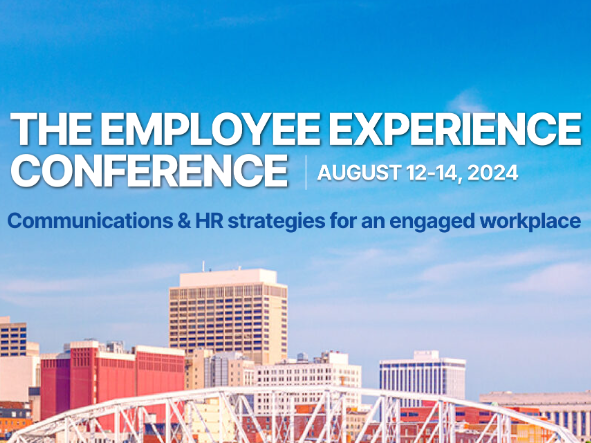
Through this lens, we are proud to announce the agenda for Ragan’s Employee Experience Conference, taking place August 12-14 at Nashville, Tennessee’s Four Seasons.
Agenda highlights: A spotlight on comms’ influence from onboarding to belonging
Kicking off with pre-conference workshops on the first day, we’ll learn foundational techniques about comms’ role in measuring along the employee lifecycle, crafting a wellness program that employees engage with, and how to lean into leadership comms that inspire and inform your internal stakeholders.
The first full day of programming begins with a panel discussion on how comms can identify and meet shared goals with colleagues in HR and marketing. We’ll then transition to a focus on belonging as we learn from 3M Senior Communications Manager, Corporate Initiatives and Employee Experience Fanna Haile-Selassie and Communications Strategist Cayla Blucker how an organization can reimagine its employee touchpoints to craft collaborative culture experiences that go beyond “Pizza Friday”.
After a musical lunch (we will be in Music City, after all), you’ll learn how manager communications can be harnessed to optimize onboarding, benefits messaging and even stay interviews for their direct reports. Other dimensions of belonging communications will also be explored, including the outsized role that employee resource groups play in fostering inclusive communities.
We’ll also look at generative AI through a new lens — how tools and tech can be applied to enhance the employee experience in an honest, people-first way. During this panel, PwC US & Mexico Communications Leader Megan DiSciullo will share more about how the firm’s custom GPTs optimize its employee newsletters and intranet.
Centering employees during change
Our final day will open with a keynote panel featuring C-suite leaders who sit across HR and communications functions in a candid discussion about what it takes to solve employee disengagement during times of change—and what solutions have proven material to the stability of the business.
Sticking with the day 2 theme of change, Cisco Internal Communications Leader Raquel Cool will share how town halls can be refined to address shifting employee expectations around engagement, cultural recognition and even accessibility.
Attendees will then be treated to a change comms case study from Victoria’s Secret & Co. AVP of Internal Communications Meghan Roman alongside AVP of External Communications Brooke Wilson about how they communicated about a much-publicized brand crisis strategically by listening to and collaborating with internal and external stakeholders simultaneously.
We’ll close out the event with a timely, interactive session on communicating during times of change. Nicole Bernard, sr. manager of internal communications at REI will unpack the concept of inclusive design and how it requires working with employees to design change programs before attendees have the chance to practice and reinforce these new ideas together.
Check out our full agenda and speaker roster here, and register now to join us in Nashville this August!